You can’t talk about ecommerce UI without focusing on ADA compliance. Set by the Americans with Disabilities Act (ADA), making sure your site is easily accessible for every visitor is imperative for brands.
The ADA does not contain a technical checklist for private retail websites. Courts and regulators have largely used the Web Content Accessibility Guidelines (WCAG) as the yardstick. Title III of the ADA, which covers businesses open to the public, is the part that applies to most ecommerce merchants, and it is enforced mainly through private lawsuits and demand letters.
And if you run an ecommerce site, you have probably received a pitch for a tool that promises to make your store ADA compliant with one line of code. How real is that? The accessibility market has several distinct levels of service, and they solve different problems at very different prices.
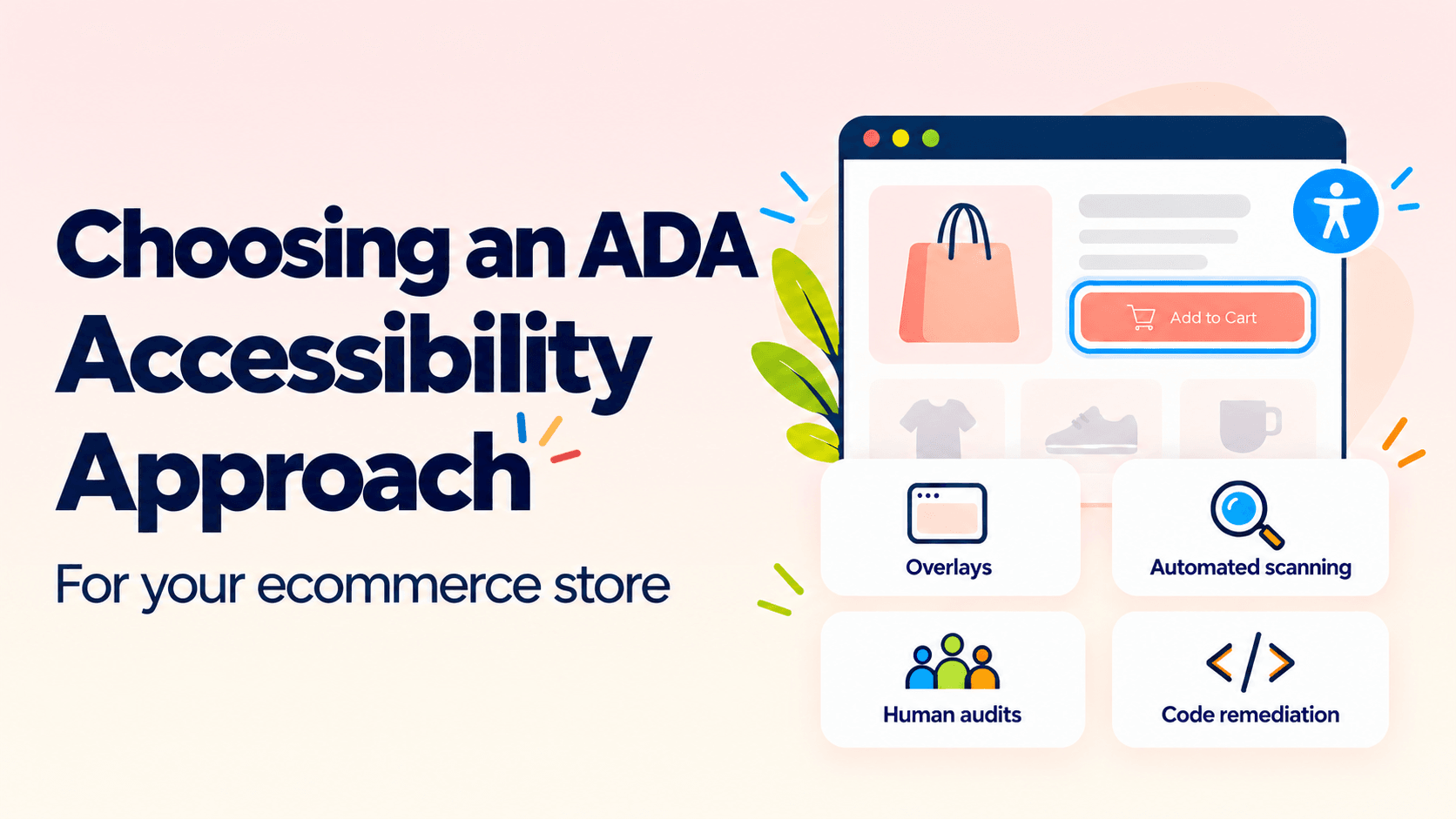
Let’s look at the four main tiers, what each one does and does not do, and the questions that should drive your choice.
Tier 1: Overlay Widgets
An overlay is a JavaScript snippet that adds a toolbar to your site and tries to adjust the page for visitors. Some let users change text size or contrast. Others use automation to modify how the page is presented to assistive technology.
The appeal is obvious. It is more cost effective, it installs in minutes, and comes with strong marketing about compliance. But some of these widgets are also getting into trouble for claims that their products could make any website WCAG compliant.
Beyond the legal history, overlays generally cannot repair structural problems in your templates, such as unlabeled form fields, broken heading order, keyboard traps in a mini-cart, or checkout errors that are never announced to a screen reader.
An overlay can be a reasonable supplement, for example a user-facing text-size control. accessiBe is the most well known and largest of the overlay vendors. But it’s important to understand what you’re getting and what’s not addressed in terms of your compliance strategy if you only rely on an overlay widget.
Tier 2: Automated Scanning and Monitoring Platforms
These tools crawl your site, test pages against WCAG rules, and report issues in a dashboard. Many integrate with ticketing systems so findings become tasks for your developers.
Scanners are valuable for coverage and regression. They catch things like missing alt text, low contrast, and missing form labels across thousands of product pages, and they alert you when a new theme change or app install breaks something that used to work.
This is also where the category gets less tidy. Patrol, a tool built specifically for Shopify merchants, markets itself as going beyond scanning into automated remediation, meaning it attempts to fix violations directly in your theme code, such as alt text, ARIA labels, and button or link names, rather than only flagging them.
Automated remediation tends to work well for attributes and markup, and less well for things like focus order, keyboard interaction, and layout logic that require judgment about what a user actually needs. Ask any vendor making this kind of claim exactly which categories of WCAG violations their automation resolves outright versus merely flags.
Pure scanning engines like axe-core and WAVE, and platforms built on them, remain useful for broad coverage and regression testing. A clean scan score does not mean the store is accessible, but that the things a machine can check have passed.
Scanners work best as the monitoring layer inside a broader program, and they are a sensible first step when you have no idea where you stand.
Tier 3: Managed Services and Audits With Human Testing
At this level, accessibility specialists test your store manually, using keyboards and screen readers on your key journeys: home, search, category, product page, cart, checkout, account, and post-purchase emails. You receive a prioritized report, usually mapped to WCAG success criteria, with remediation guidance for your developers. Some providers also retest after fixes and produce an accessibility statement or a VPAT.
Level Access is one of the more established names here, combining manual audits by certified specialists with Voluntary Product Accessibility Template (VPAT) creation, which is often what enterprise buyers or public-sector customers require as proof of conformance. Level Access also sells automated scanning (its ACE Scanner) and an ongoing managed service, so depending on the package, an engagement with them can span this tier as well as parts of Tiers 2 and 4.
That overlap is common among larger providers, so when you are comparing vendors, ask what specific deliverable you are buying in a given contract rather than assuming the company name tells you the tier.
This tier finds what automation cannot, and it gives your team a defensible record that you assessed the site and acted on the results. The weakness is the handoff. A report does not fix anything on its own, and reports go stale quickly if your store ships changes weekly. Ask whether retesting is included and how the provider handles findings in third-party apps you do not control.
Tier 4: Custom Remediation and Accessibility Built into Development
At the top level, accessibility is treated as an engineering and design responsibility. Specialists or your development partner fix the underlying theme and component code, add accessibility criteria to design reviews and definitions of done, test with assistive technology during QA, and set up automated checks in the release pipeline.
This costs the most and takes the longest to set up, but it is the only tier that changes why your store is inaccessible instead of patching how it looks. It also holds up best over time, because new features get built accessibly instead of being audited after launch.
For merchants replatforming or redesigning, this is the cheapest moment to do it. Accessible components designed into a new build cost far less than retrofitting a live store.
A Practical Way to Combine Tiers
Many mature brands end up with a layered approach. A common pattern is a manual audit of the core purchase path, remediation of the highest-impact issues in the theme and checkout, automated monitoring to catch regressions, an accessibility statement with a working way for shoppers to report problems, and accessibility requirements written into the brief for any new feature or redesign.
If you’re early in the process, start by testing your own checkout with only a keyboard, and then with a screen reader such as NVDA or VoiceOver. It takes an hour, costs nothing, and will tell you more about your real position than any sales deck.
The Bottom Line
Cheaper tiers give you visibility or a surface adjustment while higher tiers give you fixes and a process. The right choice depends on your risk, platform, release pace, and who on your team can act on the results. Whatever you choose, be skeptical of anyone selling certainty, and look for providers who can explain what their work does not cover.
Accessibility also is not only a legal matter. Shoppers who cannot use your checkout cannot buy from you. If you are planning a migration, redesign, or platform change and want accessibility built in from the start, we would be glad to talk it through.